😻 I Kept Opening VS Code Just to Read a File
FeatherCode is a tiny native Mac code editor I built because I kept opening VS Code just to read or lightly edit a single file—and hating the wait every time. It’s 1.3 MB instead of 500, it’s typing the instant the Dock icon stops bouncing, and it still has the niceties I actually reach for: multi-cursor, a real Vim mode that embeds Neovim (so my actual vimrc works), 18-language highlighting, and Quick Look previews of source files right in Finder. It’s $12.99, one-time.

Here’s the pattern I finally got tired of. Someone sends me a config file, or a script, or a stray .swift from a repo I’m not working in, and I want to look at it—maybe change two lines. So I open VS Code. And VS Code, bless it, spins up a copy of Chromium, restores my last workspace, wakes up a few extensions, and eventually shows me the twelve lines I wanted to read. For twelve lines. On a laptop that was doing something else.
None of that is VS Code being bad. It’s VS Code being an IDE, which is a different job than the one I had. But I do the small job—open a file, read it, maybe nudge it—many times a day, and I’d quietly accepted paying IDE startup for it. “You adapt” is the sentence I tend to say right before I build something.
So FeatherCode is the opposite bet: a code editor that opens a file the way TextEdit opens a file, with none of the ceremony, but that still knows what code is.
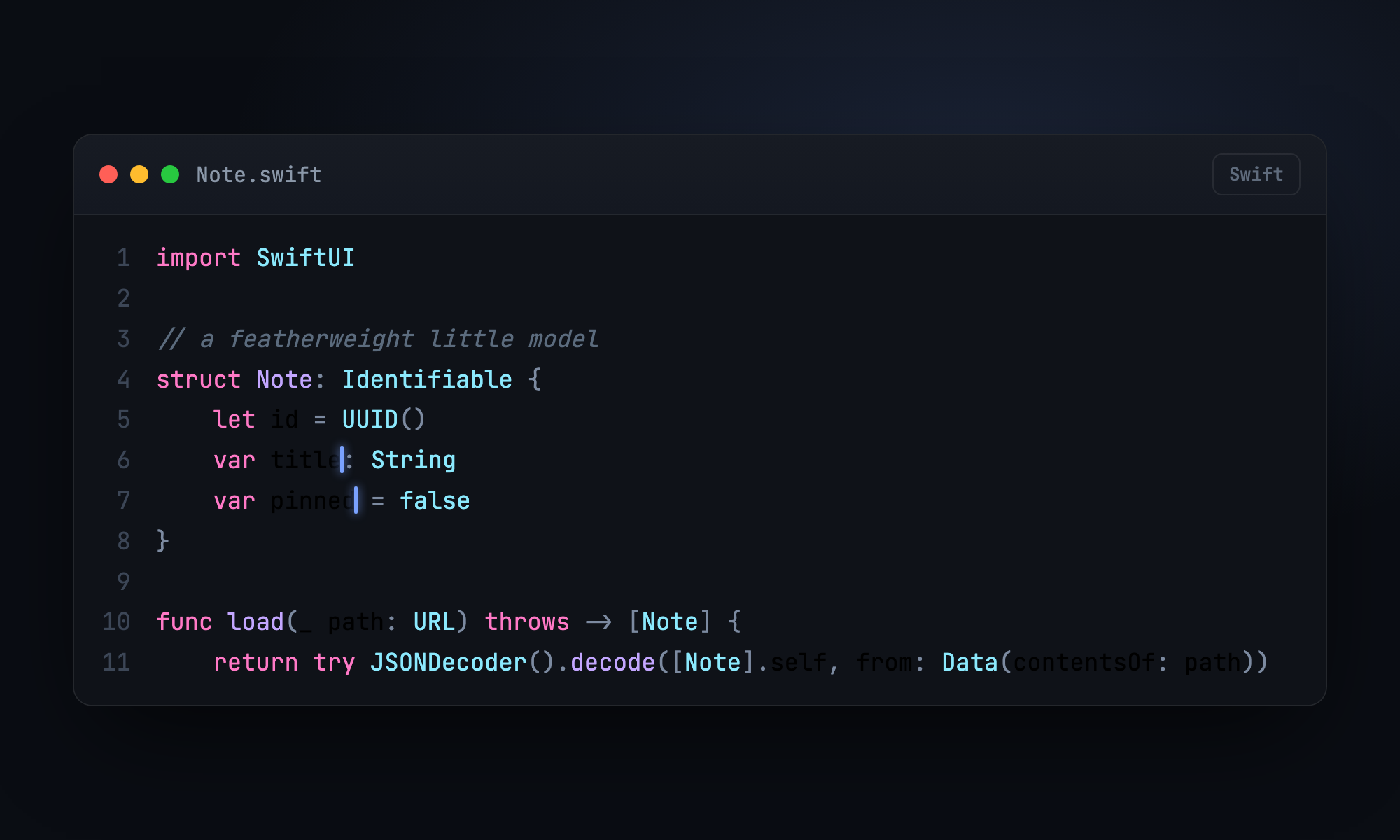
Native, or it’s pointless
The whole thing only makes sense if it’s native. A code editor whose fast path is “boot a browser engine to draw text” is the exact thing I’m running away from—putting Monaco in a WKWebView would just be Electron with extra steps. So the editing surface is NSTextView on a plain TextKit stack, and highlighting is done as temporary attributes: color laid over the text with no layout invalidation, no reflow, no relayout pass on every keystroke. The app is 2.6 MB installed, zero third-party dependencies, and it launches faster than I can describe launching it.
Where the megabytes actually go
If you crack open a “lightweight native” editor and find it’s 60 MB anyway, it’s almost always the grammars. Modern highlighting uses tree-sitter, and tree-sitter grammars are multiple megabytes of generated C per language. Bundle fifteen languages and you’ve quietly shipped a small operating system.
FeatherCode doesn’t. It uses a hand-rolled, line-based incremental lexer—the classic Vim/TextMate design. Each line is tokenized on its own, carrying a single byte of state to the next line (are we inside a block comment? a triple-quoted string? a template literal?). When you type, it splices the changed line back in and re-lexes forward only until the state converges with what it already had cached—usually one to three lines. A 24,000-line file relexes its state in under three milliseconds, and the actual coloring only happens for the two hundred lines you can see. Eighteen languages—Swift, Python, JavaScript, TypeScript, Go, Rust, C, C++, Objective-C, Ruby, Shell, JSON, YAML, TOML, CSS, HTML, Markdown, and plain text—come from one small table-driven engine, not eighteen downloaded grammars.
The Vim mode is real Vim
I wanted a Vim mode, and I wanted it to honor my actual ~/.vimrc, not a plausible imitation of it. The usual approach—parse the user’s vimrc and re-implement the mappings—falls apart the moment your config does anything interesting. Mine has a line that filters the current line through sh, a couple of substitution mappings with confirmation, and an autocmd that regenerates ctags on save. An emulator silently drops all of that.
So FeatherCode doesn’t emulate Vim. It embeds Neovim—launches nvim --embed --headless and talks to it over Neovim’s own MessagePack-RPC protocol. Your keystrokes go straight to Neovim, edits stream back as diffs, and your real config loads verbatim. dd and u work because it’s Vim. :%s//gc works because it’s Vim. My weird shell-filter mapping works because it is, genuinely, Vim. It’s off until you turn it on, and it costs the bundle nothing because it uses the nvim you already have. (That’s the one asterisk: the Vim mode needs Neovim installed—brew install neovim—and I say so plainly, because nothing’s more annoying than a feature that quietly needs a thing you don’t have.)
Press Space
The part that surprised me by how much I use it: FeatherCode installs a Quick Look extension, so you can select any source file in Finder, tap the space bar, and see it syntax-highlighted in the preview panel—same lexer as the editor, rendered to static HTML—with an “Open with FeatherCode” button in the corner if you decide you want to edit after all. Reading a file no longer requires opening any app at all.
The parts that fought back
I don’t want to make this sound tidier than it was. The line-table design crashed on the very first character I ever typed, because splicing an empty range with a closed Swift ClosedRange is invalid exactly when zero characters were removed—which is every ordinary keystroke. Half-open ranges, always.
Multi-cursor was worse. NSTextView has no native concept of multiple insertion points—hand it an array of selections and it silently collapses them, and typing into several real selections only edits the first. So multi-cursor means owning the cursor list yourself: distributing each edit across the ranges by hand, drawing the extra carets in the background layer, and dissolving the set on any selection change you didn’t make. And the Vim integration ate an hour to a bug that looked like broken save syncing but was actually nvim --embed without --headless: it quietly waits for a UI to attach before it starts, answering API calls the whole time, so it looked alive and behaved dead.
What it isn’t
FeatherCode is not an IDE, and I don’t want it to become one. No debugger, no extension marketplace, no language servers, no project-wide search. Those are real features and VS Code does them well; when I need them, I’ll open VS Code. FeatherCode is the fast native editor for everything else—the file you want to read, the config you want to nudge, the script someone sent you. It’s the thing you reach for instead of firing up the big one.
FeatherCode is $12.99, one-time, no subscription and no account. It’s a universal binary for Apple Silicon and Intel, signed and notarized by Apple, and it never touches the network—nothing about your code leaves the machine. If you’ve ever waited on a code editor to boot so you could read twelve lines, you know the exact feeling that made me build it.
*FeatherCode is a tiny native Mac code editor I built because I kept opening VS Code just to read or lightly edit a single file—and hating the wait every time. It's 1.3 MB instead of 500, it's typing the instant the Dock icon stops bouncing, and it still has the niceties I actually reach for: multi-cursor, a real Vim mode that embeds Neovim (so my actual vimrc works), 18-language highlighting, and Quick Look previews of source files right in Finder. It's $12.99, one-time.*
<p align="center"><img src="/images/feathercode-icon.png" alt="The FeatherCode app icon: a feather over a </> code glyph on a dark rounded-square tile" width="140" /></p>
Here's the pattern I finally got tired of. Someone sends me a config file, or a script, or a stray `.swift` from a repo I'm not working in, and I want to *look at it*—maybe change two lines. So I open VS Code. And VS Code, bless it, spins up a copy of Chromium, restores my last workspace, wakes up a few extensions, and eventually shows me the twelve lines I wanted to read. For twelve lines. On a laptop that was doing something else.
None of that is VS Code being bad. It's VS Code being an IDE, which is a different job than the one I had. But I do the small job—open a file, read it, maybe nudge it—many times a day, and I'd quietly accepted paying IDE startup for it. "You adapt" is the sentence I tend to say right before I build something.
So FeatherCode is the opposite bet: a code editor that opens a file the way TextEdit opens a file, with none of the ceremony, but that still knows what code is.

## Native, or it's pointless
The whole thing only makes sense if it's native. A code editor whose fast path is "boot a browser engine to draw text" is the exact thing I'm running away from—putting Monaco in a WKWebView would just be Electron with extra steps. So the editing surface is `NSTextView` on a plain TextKit stack, and highlighting is done as *temporary attributes*: color laid over the text with no layout invalidation, no reflow, no relayout pass on every keystroke. The app is 2.6 MB installed, zero third-party dependencies, and it launches faster than I can describe launching it.
## Where the megabytes actually go
If you crack open a "lightweight native" editor and find it's 60 MB anyway, it's almost always the grammars. Modern highlighting uses tree-sitter, and tree-sitter grammars are multiple megabytes of generated C *per language*. Bundle fifteen languages and you've quietly shipped a small operating system.
FeatherCode doesn't. It uses a hand-rolled, line-based **incremental lexer**—the classic Vim/TextMate design. Each line is tokenized on its own, carrying a single byte of state to the next line (are we inside a block comment? a triple-quoted string? a template literal?). When you type, it splices the changed line back in and re-lexes *forward only until the state converges with what it already had cached*—usually one to three lines. A 24,000-line file relexes its state in under three milliseconds, and the actual coloring only happens for the two hundred lines you can see. Eighteen languages—Swift, Python, JavaScript, TypeScript, Go, Rust, C, C++, Objective-C, Ruby, Shell, JSON, YAML, TOML, CSS, HTML, Markdown, and plain text—come from one small table-driven engine, not eighteen downloaded grammars.
## The Vim mode is real Vim
I wanted a Vim mode, and I wanted it to honor my *actual* `~/.vimrc`, not a plausible imitation of it. The usual approach—parse the user's vimrc and re-implement the mappings—falls apart the moment your config does anything interesting. Mine has a line that filters the current line through `sh`, a couple of substitution mappings with confirmation, and an autocmd that regenerates ctags on save. An emulator silently drops all of that.
So FeatherCode doesn't emulate Vim. It **embeds Neovim**—launches `nvim --embed --headless` and talks to it over Neovim's own MessagePack-RPC protocol. Your keystrokes go straight to Neovim, edits stream back as diffs, and your real config loads verbatim. `dd` and `u` work because it's Vim. `:%s//gc` works because it's Vim. My weird shell-filter mapping works because it is, genuinely, Vim. It's off until you turn it on, and it costs the bundle nothing because it uses the `nvim` you already have. (That's the one asterisk: the Vim mode needs Neovim installed—`brew install neovim`—and I say so plainly, because nothing's more annoying than a feature that quietly needs a thing you don't have.)
## Press Space
The part that surprised me by how much I use it: FeatherCode installs a Quick Look extension, so you can select any source file in Finder, tap the space bar, and see it *syntax-highlighted* in the preview panel—same lexer as the editor, rendered to static HTML—with an "Open with FeatherCode" button in the corner if you decide you want to edit after all. Reading a file no longer requires opening any app at all.
## The parts that fought back
I don't want to make this sound tidier than it was. The line-table design crashed on the very first character I ever typed, because splicing an empty range with a closed Swift `ClosedRange` is invalid exactly when zero characters were removed—which is every ordinary keystroke. Half-open ranges, always.
Multi-cursor was worse. `NSTextView` has no native concept of multiple insertion points—hand it an array of selections and it silently collapses them, and typing into several real selections only edits the first. So multi-cursor means owning the cursor list yourself: distributing each edit across the ranges by hand, drawing the extra carets in the background layer, and dissolving the set on any selection change you didn't make. And the Vim integration ate an hour to a bug that looked like broken save syncing but was actually `nvim --embed` without `--headless`: it quietly waits for a UI to attach before it starts, answering API calls the whole time, so it looked alive and behaved dead.
## What it isn't
FeatherCode is not an IDE, and I don't want it to become one. No debugger, no extension marketplace, no language servers, no project-wide search. Those are real features and VS Code does them well; when I need them, I'll open VS Code. FeatherCode is the fast native editor for everything else—the file you want to read, the config you want to nudge, the script someone sent you. It's the thing you reach for *instead of* firing up the big one.
[FeatherCode](https://kevintang.xyz/apps/feathercode/) is $12.99, one-time, no subscription and no account. It's a universal binary for Apple Silicon and Intel, signed and notarized by Apple, and it never touches the network—nothing about your code leaves the machine. If you've ever waited on a code editor to boot so you could read twelve lines, you know the exact feeling that made me build it.